Css Box-sizing
The CSS box-sizing property is used to define how an element's total width and height is calculated...

I'm currently learning frontend development and responsive web design. Skilled in python programming and hoping to one day become a machine learning engineer.
The CSS box-sizing property is used to define how an element's total width and height is calculated.
The total width and height of an element is calculated like this by default:
width + padding + border = Actual width of the object
Height + padding + border = Actual Height of the object
This means the width and height you assign to an element only applies to the element's content box. If a border or padding is defined, it is then added to the width and height to give the actual width and height of the object.
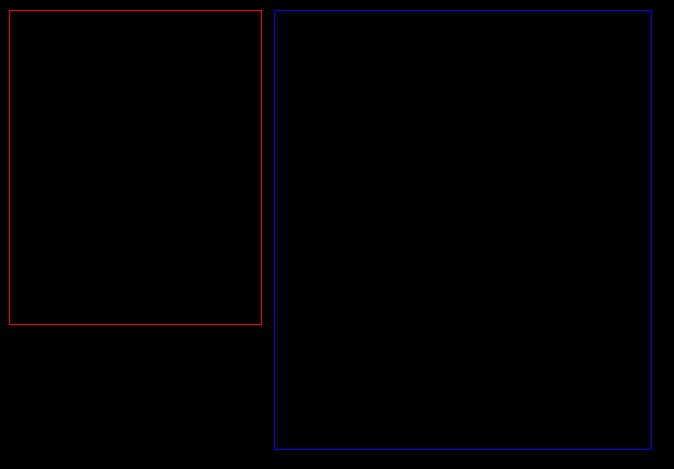
The illustration below shows that two elements with the same defined width and height are of different sizes because the second element has a padding specified
.container1 {
  width: 200px;
  height:250px;
  border: 1px solid red;
}

.container2 {
  width: 200px;
  height:250px;
  padding: 50px;
  border: 1px solid blue;
}
To solve this, we use the box-sizing property. The box-sizing properties has three possible values:
- border-box
- content-box
- padding-box
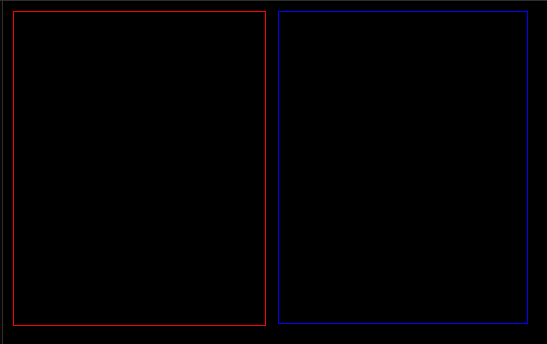
If set to border-box, the padding and border of the element is included in the element's width and height
.container1 {
  width: 200px;
  height:250px;
  border: 1px solid red;
}

.container2 {
  width: 200px;
  height:250px;
  padding: 50px;
  border: 1px solid blue;
box-sizing: border-box;
}
Box-sizing reset methods
Below are the ways of setting the box-sizing of all the elements on a page:
The old reset method
* {
  box-sizing: border-box;
}
This method doesn't cover pseudo elements and ends up giving some unwanted results.
Universal Box-Sizing Method
*, *:before, *:after {
  box-sizing: border-box;
}
This method selects pseudo elements as well but makes it difficult to use content-box or padding-box elsewhere in our CSS code.
Universal Box-Sizing with Inheritance
html {
  box-sizing: border-box;
}
*, *:before, *:after {
  box-sizing: inherit;
}
This method allows us to use content-box or padding-box elsewhere in our CSS code. It easier and should be used for best practice.
Well, that's all for now . Kindly hit the reaction and share it😃😃.
To stay updated when I post, follow me on Twitter and Instagram.


